How the school portal works
Everything you need to manage school dismissals, students, and groups from a web panel — no installation required.
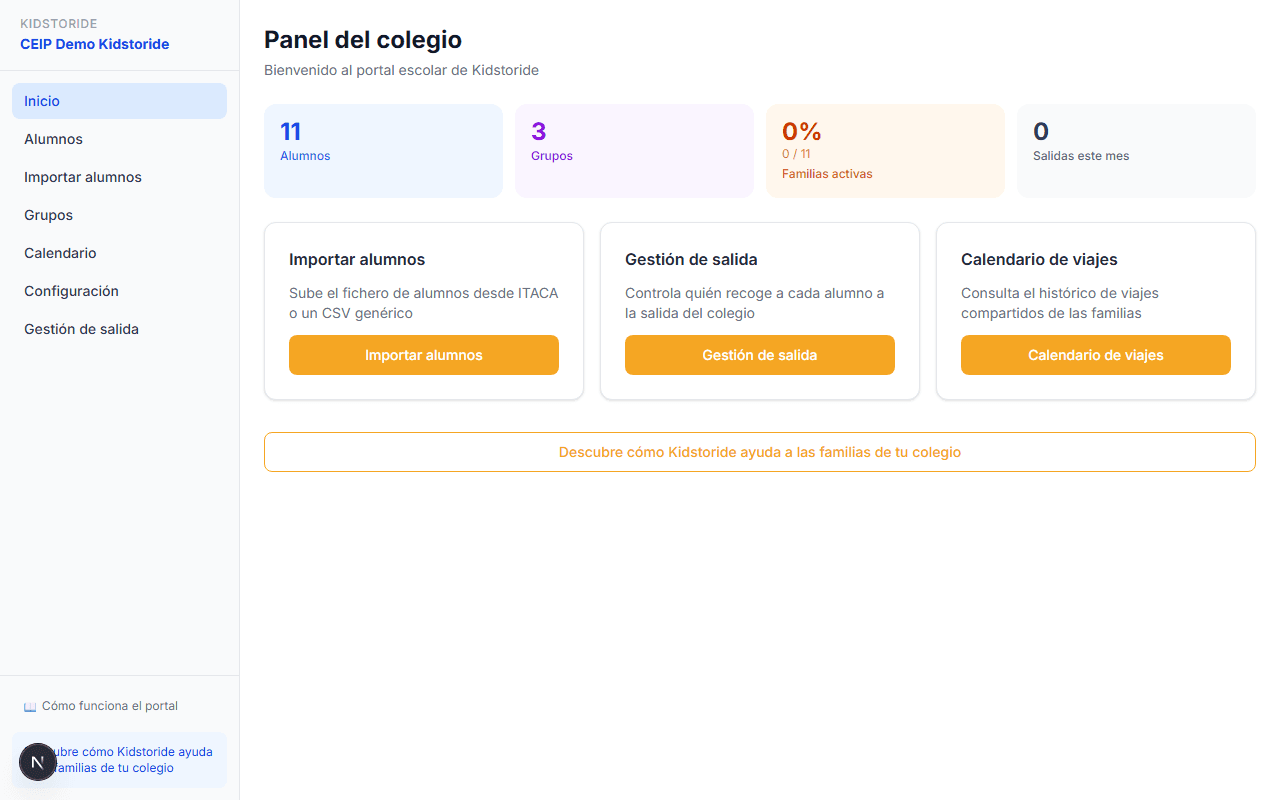
School main dashboard
As soon as you log in you see the summary: number of students, groups created, active families, and dismissals registered this month. Quick access to the main features from three buttons.
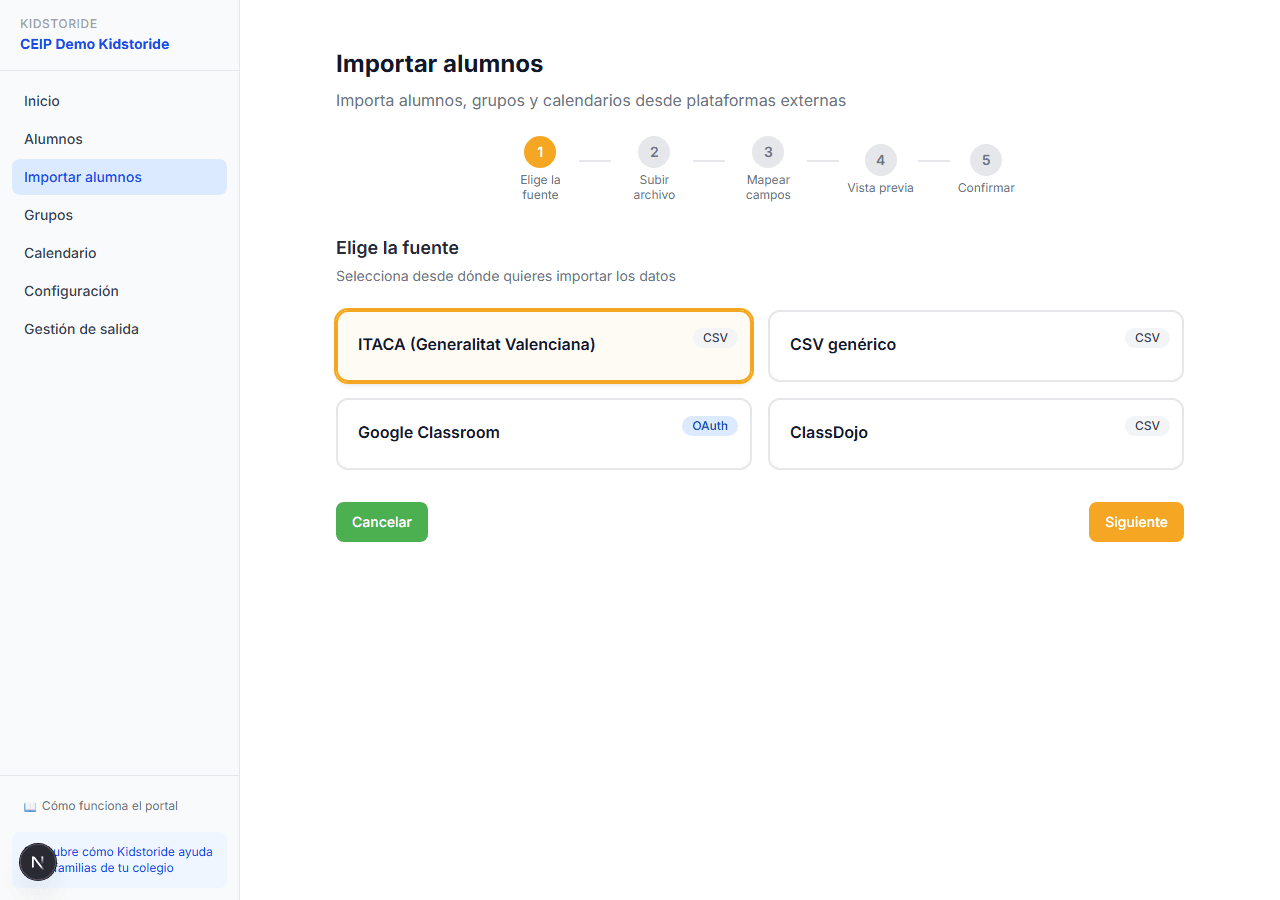
Import students from CSV
Import your student list in 5 steps: choose the source (generic CSV, Google Classroom or ClassDojo), upload the file, map the fields, review the preview, and confirm. Compatible with the main school management platforms.
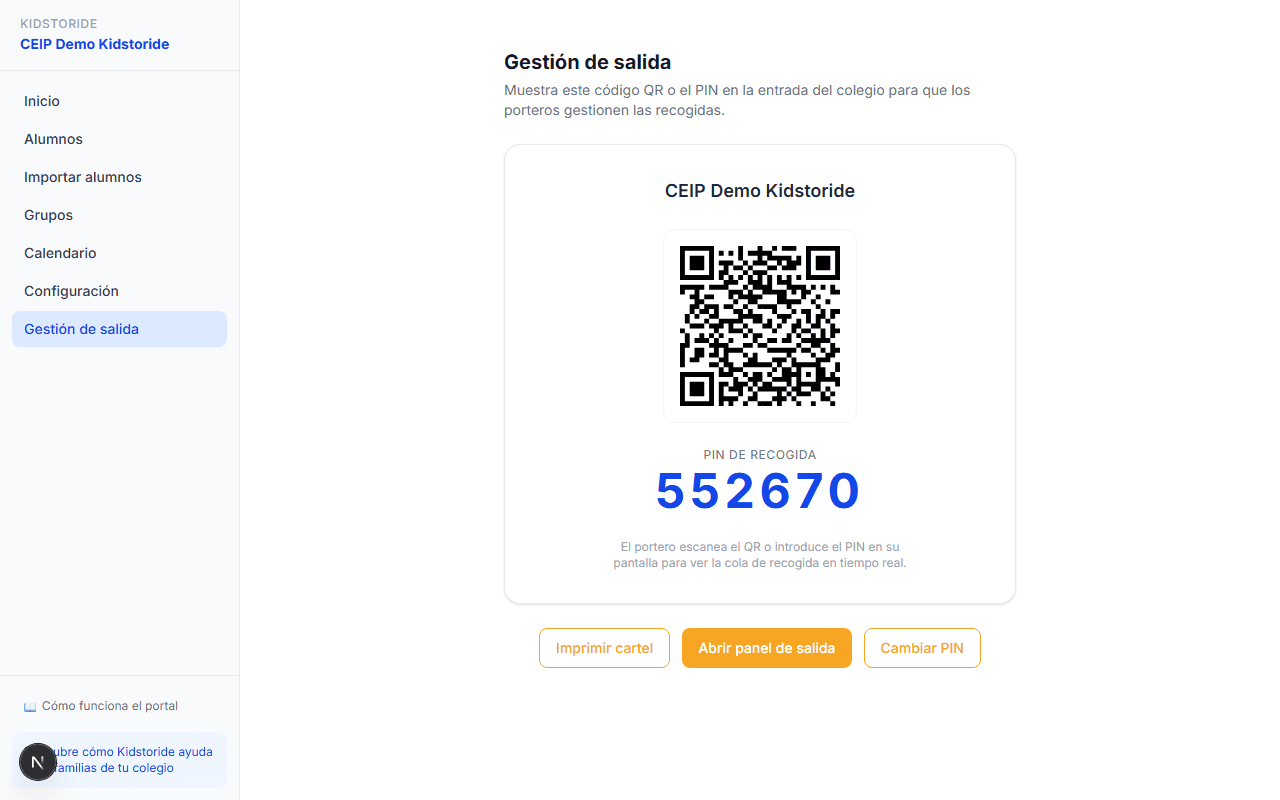
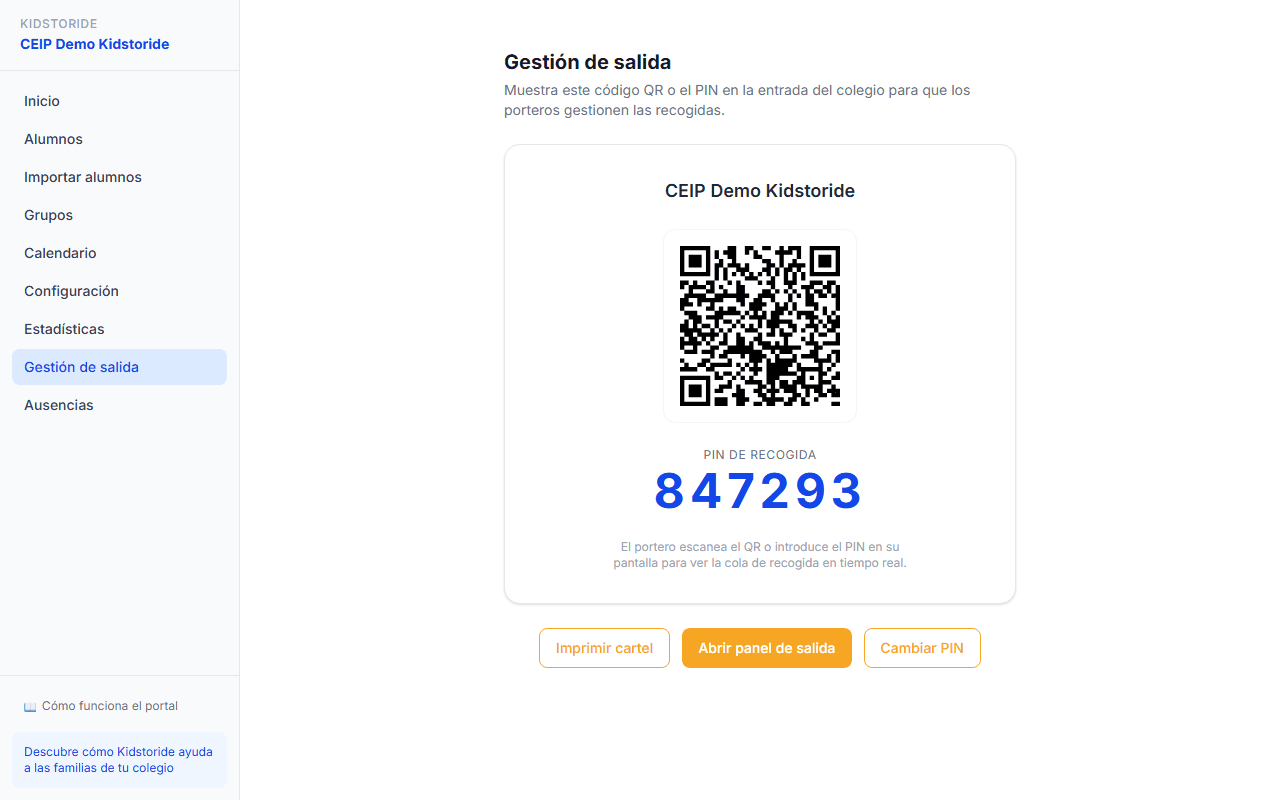
QR code dismissal management
Generate a unique QR code for your school. Staff display it on screen or print it to post at the entrance. Parents scan or enter the PIN when they arrive to pick up their child — they appear instantly in the pickup queue.
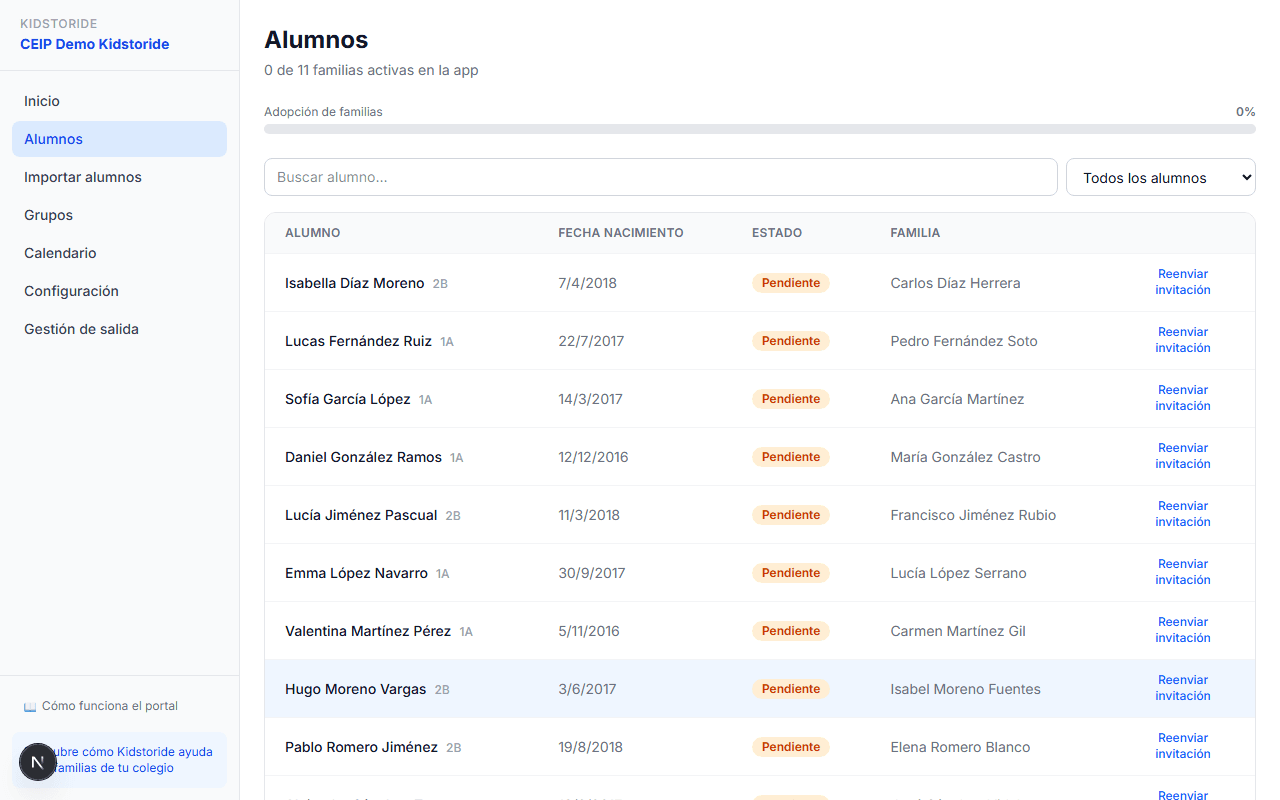
Student list
Each student shows their class, date of birth, status, and the authorized family. You can resend the invitation to families with one click.
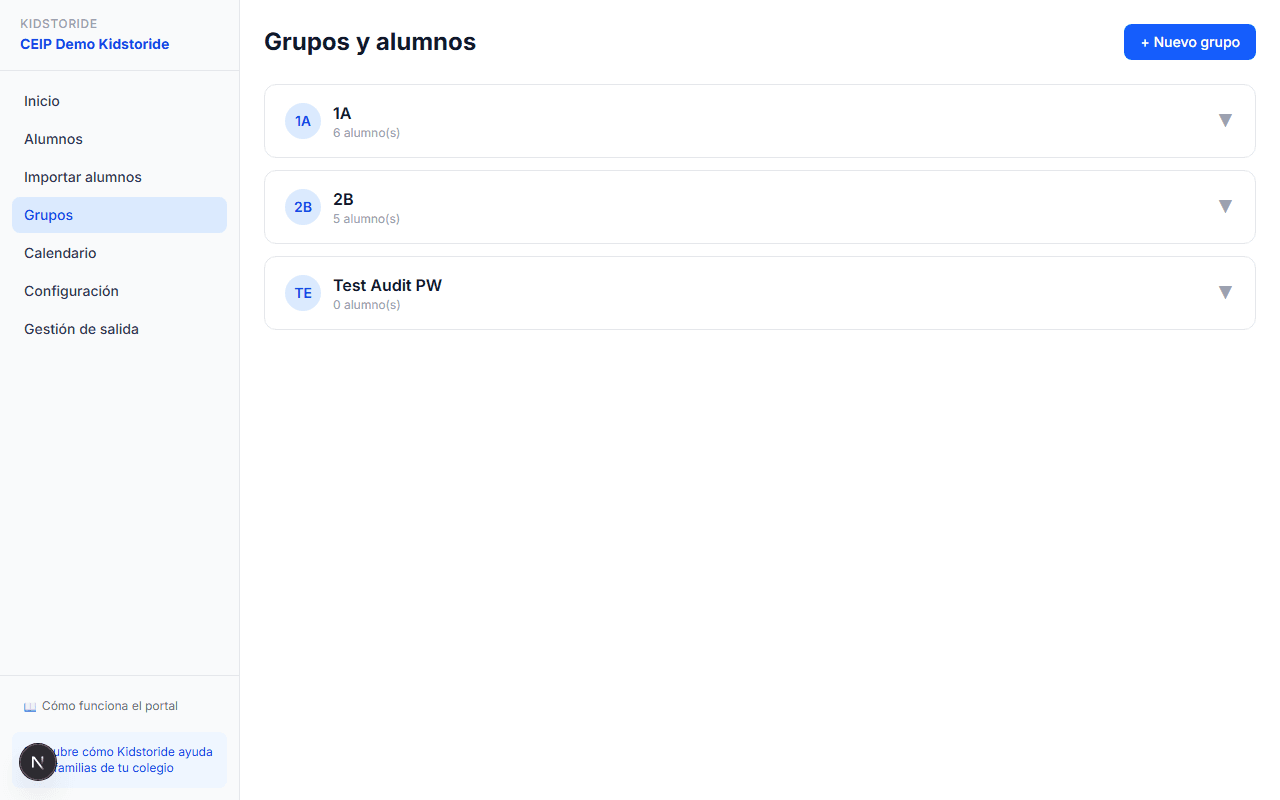
Groups and classes
Organize students into groups by class (1A, 2B…) or by activity. See at a glance how many students each group has. Groups are the communication channel with families.
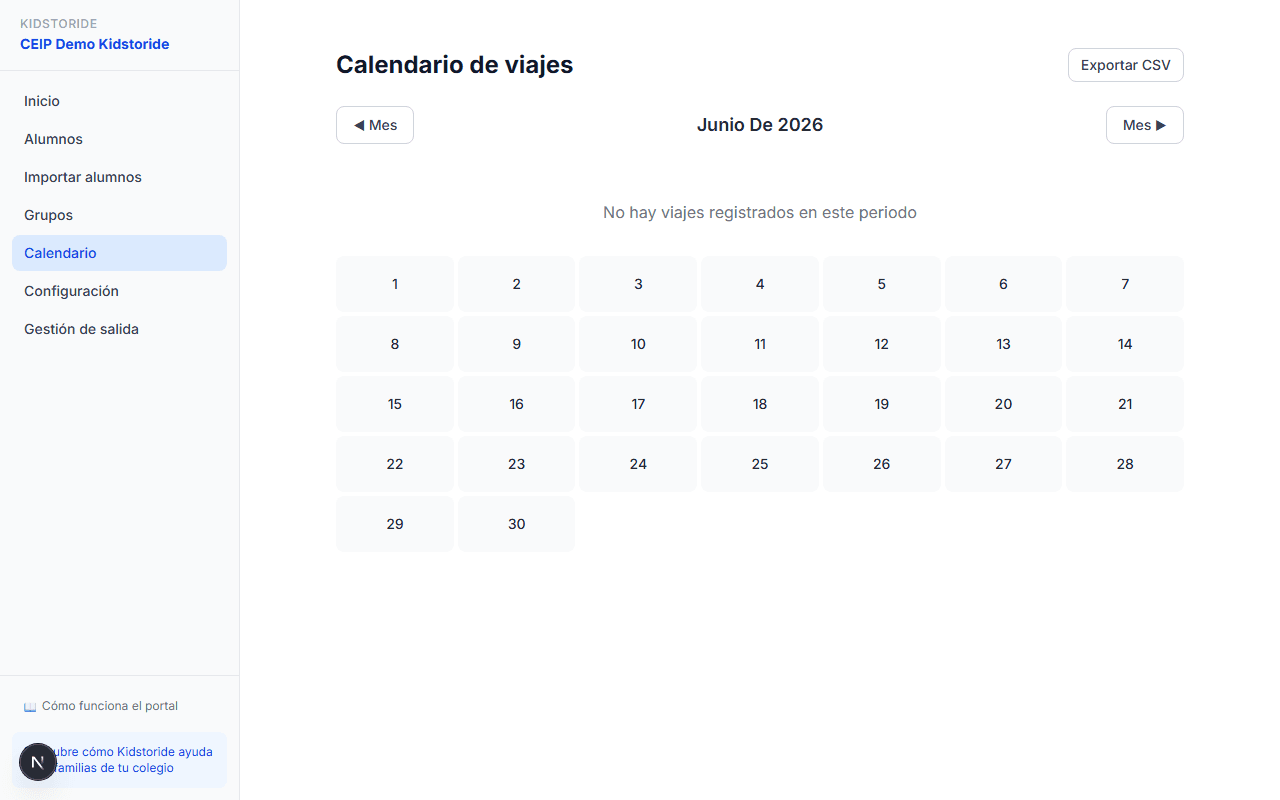
Activity calendar
View by month all trips and activities registered by the school's families. Export the history to CSV for your administrative records.
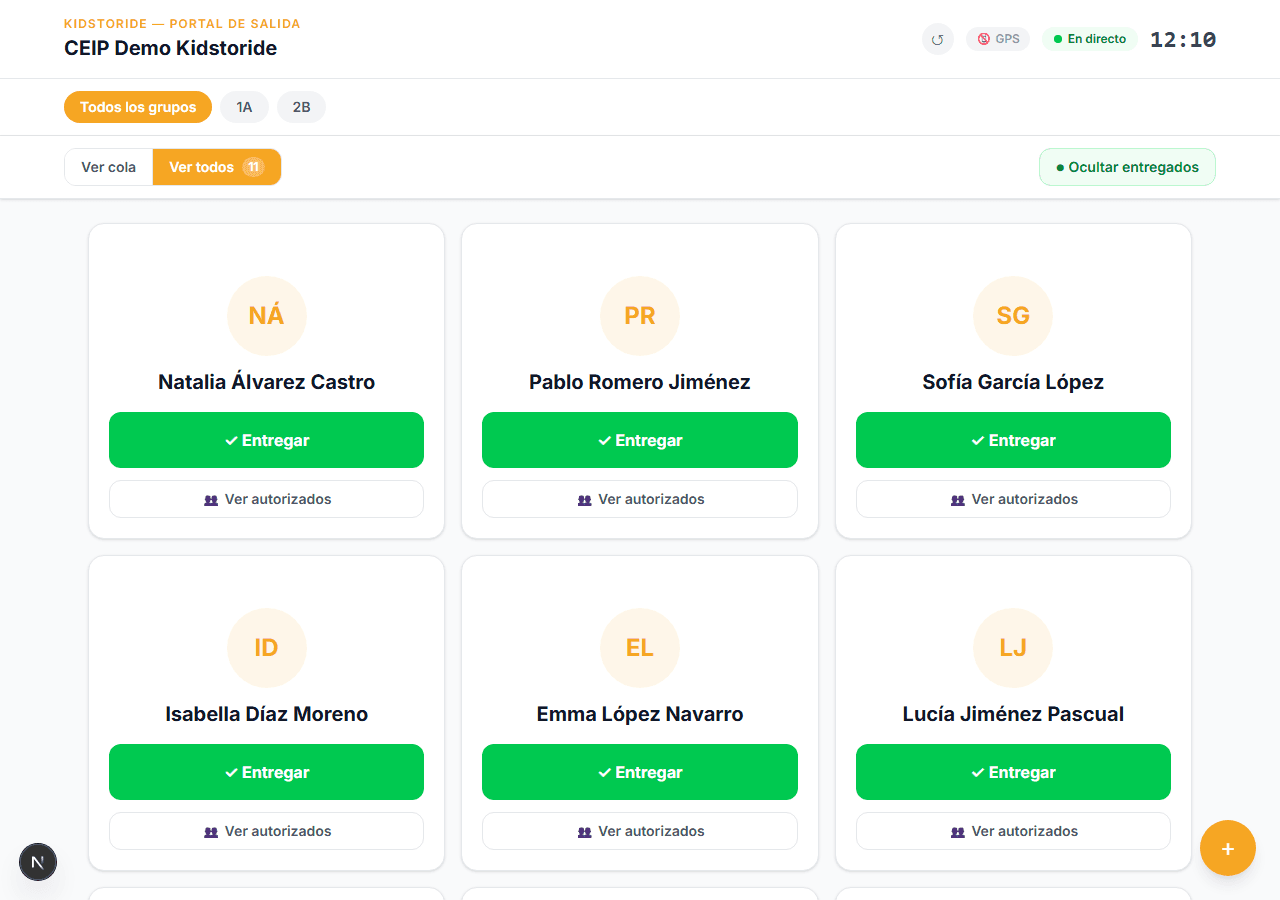
Real-time dismissal panel
Staff open this panel on a tablet or reception screen. It shows all students in real time, filterable by class. Each card has a «View authorized» button that shows who can pick up that student — parents, SOS contacts, and the carpool driver for that day.
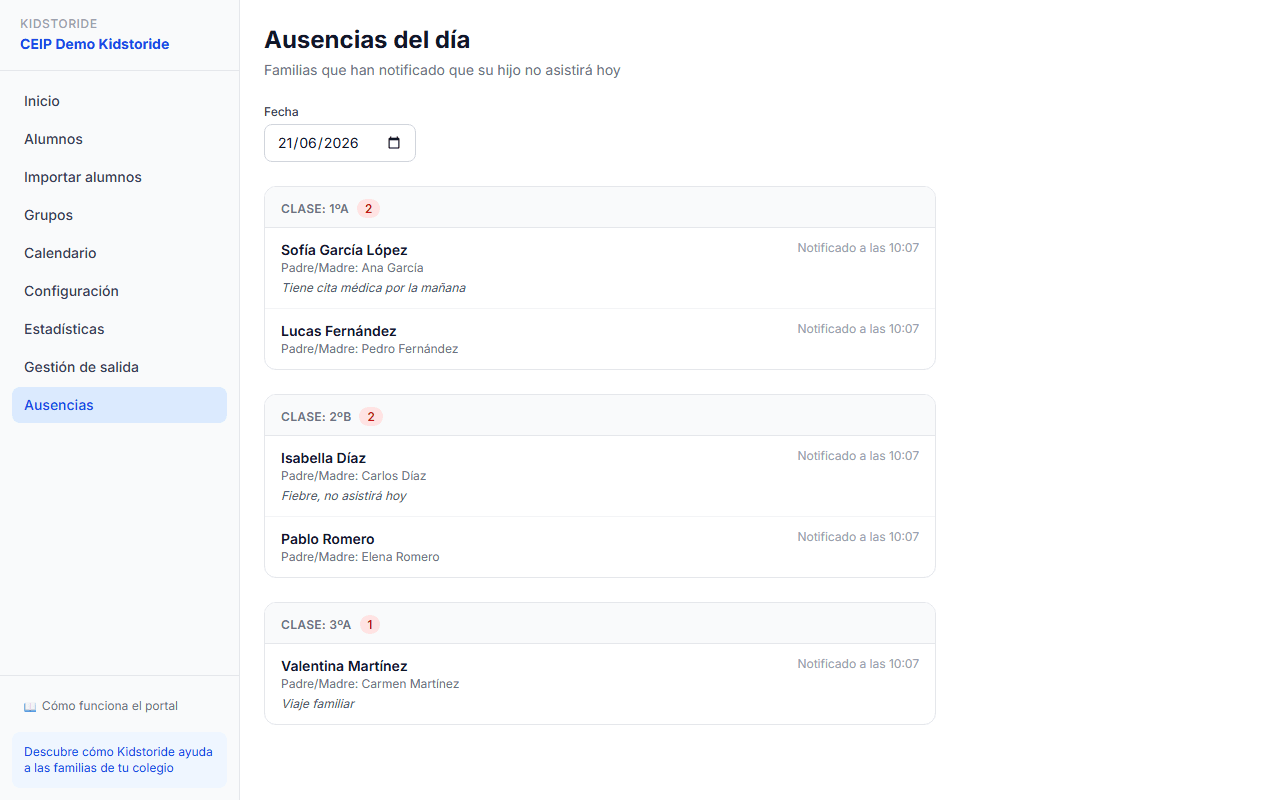
Absences & recurring patterns
Parents mark their children's absences from the app. They can create recurring patterns (e.g. every Wednesday). Trip bookings are cancelled automatically and drivers are notified instantly.
Safety: authorized persons & goes alone
Parents register who is authorized to pick up their child. Students who go home alone are marked with a distinct badge. Staff checks both lists with one tap. If a child hasn't been picked up after X minutes, a push alert is sent to the parents.
Settings & integrations
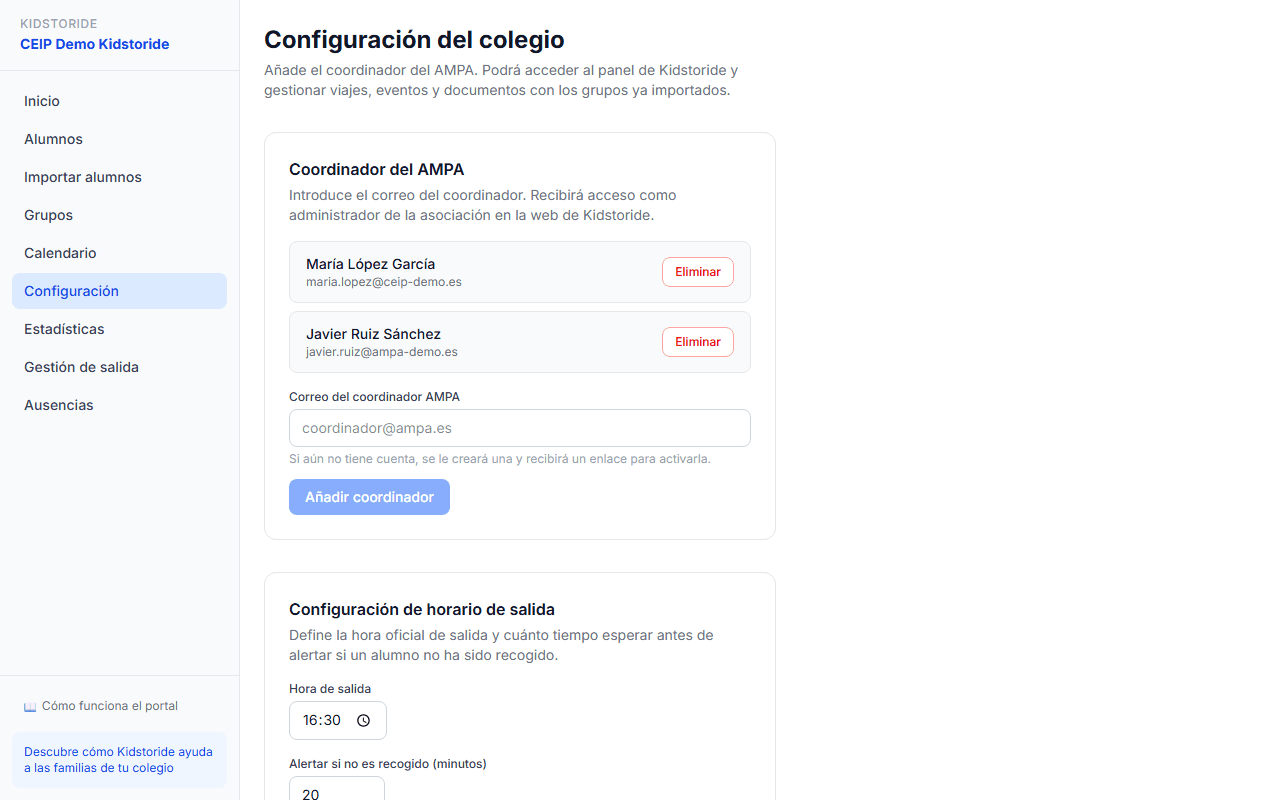
Link the school with the parents' association so families can access carpooling. Set the official dismissal time and the wait time before sending alerts. Connect to your SIS (Educamos, iEduca, Alexia) to sync data automatically.
Ready to try it at your school?
Registration is free and in less than 10 minutes your portal is set up.
Request free access